Help every student choose a career with a plan, not a guess.
MyNext gives JSS 3 to SS 3 students a clear route from the classroom to a real job, guided by your school's counsellors and followed by parents.
Or write to the email address schools should write to (tell me which and I'll confirm)
- JSS 3Explore careers and take the interest quizAdaeze saves Nursing Science and Midwifery to compare.
- SS 1Choose the science classBiology, Chemistry and Physics, with English and Maths.
- SS 2Weekly activities with her counsellorInside a teaching hospital, the nurse's day, caring under pressure.
- SS 3Sit WAEC and UTMEFive credits including English, Maths, Biology, Chemistry and Physics.
- NextA nursing degree or a school of nursingThen registration with the Nursing and Midwifery Council of Nigeria.
How it works in a school
It works on the phones students already have, and on a shared laptop in class.
- 1
Your school sets up its classes
The school admin uploads the class list. Every student gets a printed slip with their school code and a 6-digit PIN, so no student needs an email address.
- 2
Counsellors guide each week
Counsellors send short career activities, run multiple-choice tests in class on phones or a shared laptop, and book one-to-one check-ins.
- 3
Students explore and plan
Students compare careers explained in Nigerian terms, save the ones they like, and follow a roadmap from their class to the job.
- 4
Parents follow along
With the consent the school records, parents see what is due, what is handed in and test scores. Not diaries, not written answers.
One app, a view for everyone
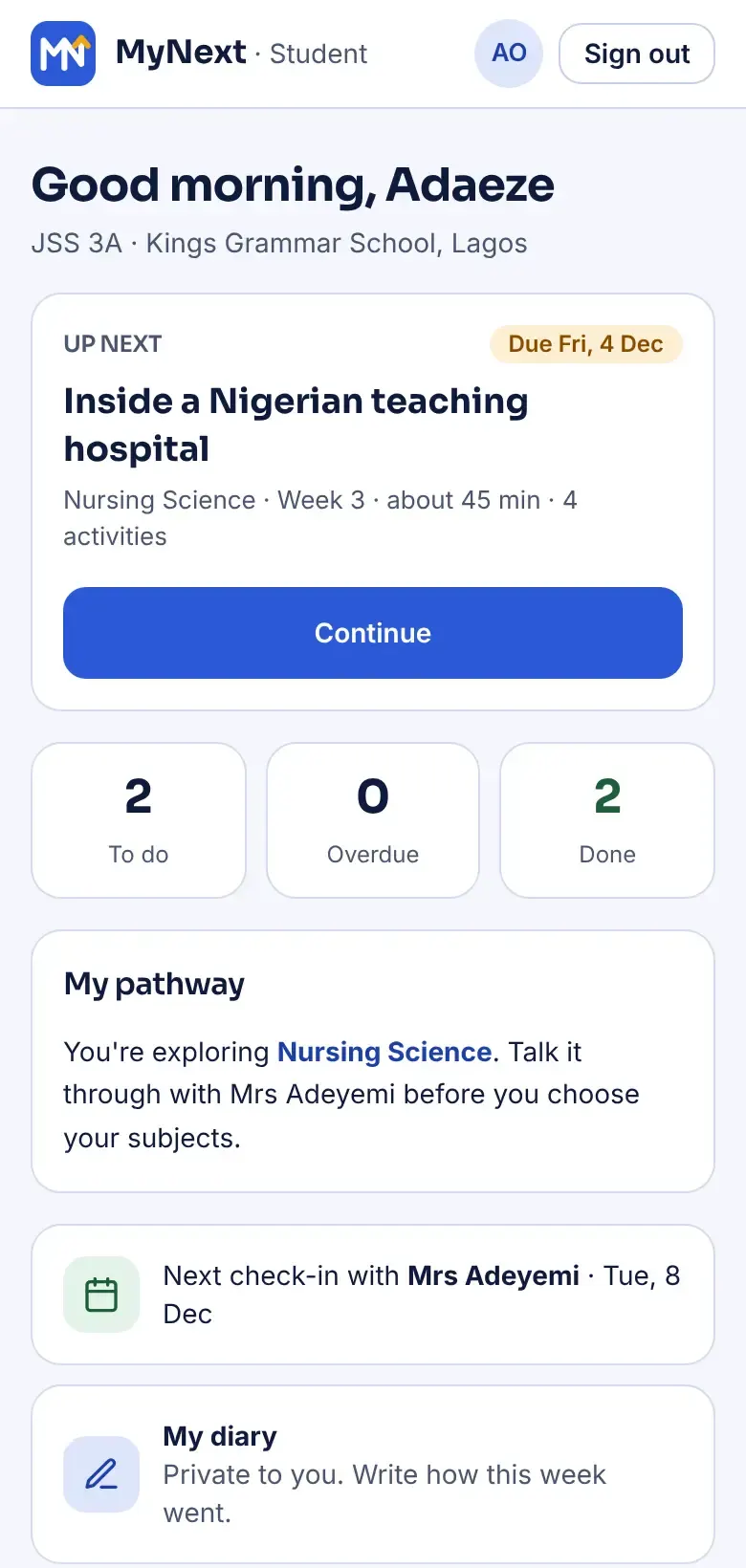
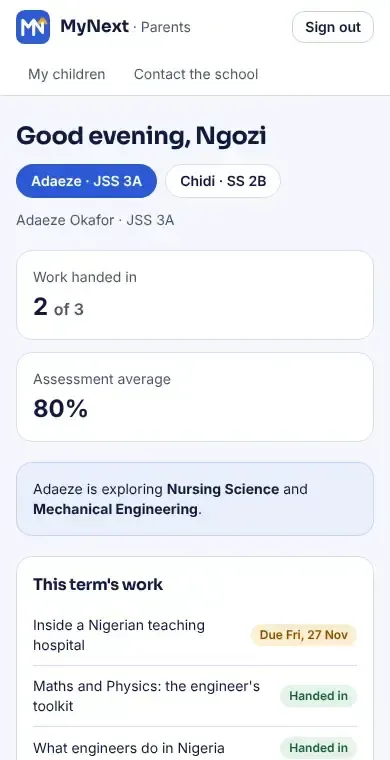
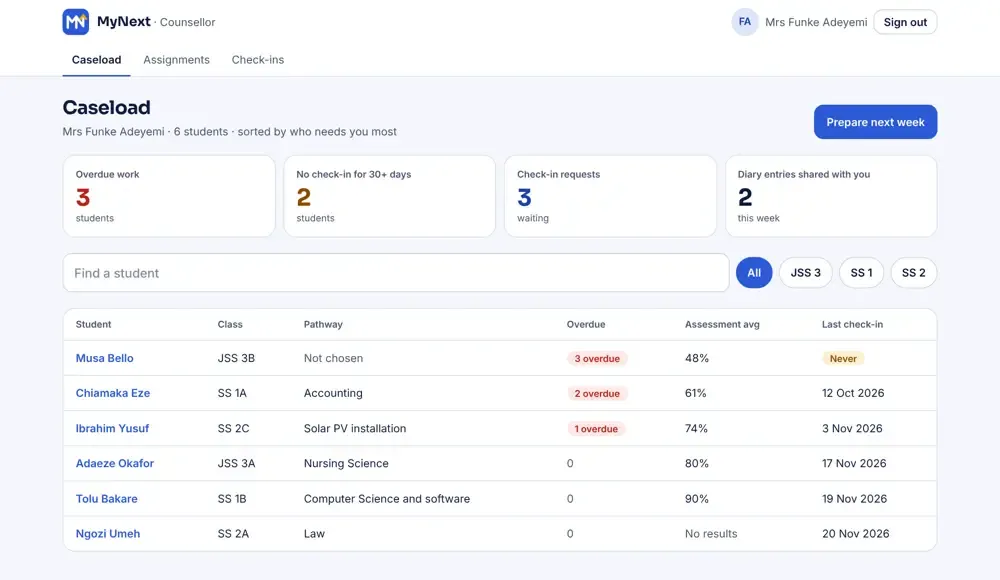
Built for children's information
MyNext is built to follow the Nigeria Data Protection Act. Schools decide who can use it, and a Data Protection Officer answers parents' questions.
- Consent comes first
- Parents only see what the signed consent form allows, and the school can change it at any time.
- Private stays private
- A student's diary and written answers are never shown to parents, and counsellor notes stay with the school.
- Staff prove who they are
- Counsellors and admins sign in with a password and a code from an authenticator app.
- Support asks first
- Our team can only look at a student's screens when the school approves it, for up to an hour. Every view is logged.
Already using MyNext?
Students sign in with the code and PIN on their slip. On a phone, add MyNext to your home screen to open it like an app.